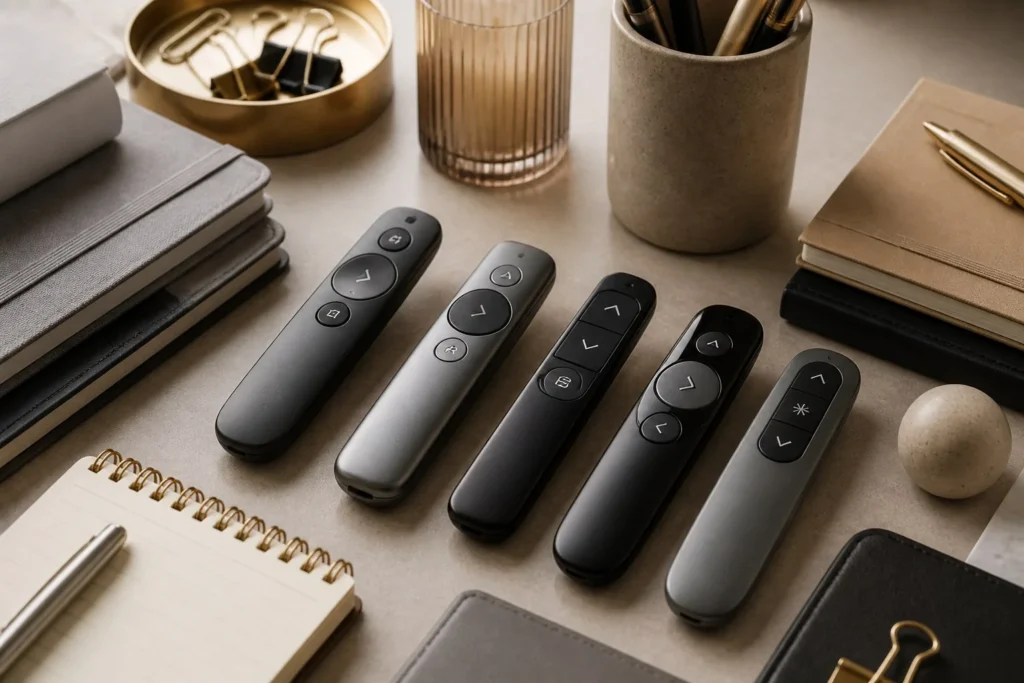

Have you ever been in the middle of an important presentation and realized that your laptop is just a little too far away? Walking back and forth to change slides can quickly interrupt your rhythm, distract your audience, and make an otherwise polished presentation feel awkward. That is exactly where a good wireless presentation clicker can make a difference.
The best wireless presentation clickers are designed to give presenters more freedom while keeping slides under control. Instead of standing beside a computer, you can move naturally around the room, interact with your audience, and advance your presentation without breaking your flow. For teachers, business professionals, students, trainers, and public speakers, this small accessory can become an essential part of the presentation setup.
However, choosing the right clicker is not simply about finding the cheapest wireless remote available. Range, button layout, compatibility, battery life, laser functionality, connectivity, and overall comfort can all affect your experience. A clicker that works perfectly in a small classroom may not be ideal for a large conference room.
In this guide, we will look at what makes the best wireless presentation clickers worth buying and explain the features you should consider before making a decision. The goal is simple: help you choose a reliable presenter remote that feels natural to use and does not become another thing you have to worry about during an important presentation.
Why Wireless Presentation Clickers Are So Useful
A presentation should feel like a conversation rather than a technical demonstration. When you have to repeatedly return to your laptop to move to the next slide, your attention can shift away from your audience. A wireless clicker solves that problem by allowing you to control your slides from a comfortable distance.
The best wireless presentation clickers allow presenters to move around freely. You can stand beside a screen, walk toward the audience, point toward an important section of a slide, or move to another part of the room without losing control of the presentation. This freedom can make your delivery feel much more confident and natural.
Wireless clickers are particularly useful in professional environments. Imagine giving a sales presentation to a room full of clients. You want to maintain eye contact and focus on the discussion instead of constantly looking down at your laptop. A simple remote lets you advance slides discreetly while keeping your attention where it belongs.
They are equally useful in education. Teachers and lecturers often move around classrooms while explaining concepts. A wireless presenter can make it easier to switch between slides without walking back to a desk. Students giving presentations can also benefit because they can concentrate on explaining their ideas instead of worrying about controlling the computer.
Important Features to Look For
One of the first things to consider when choosing among the best wireless presentation clickers is wireless range. A short-range remote might work perfectly at a desk but become frustrating in a large classroom, lecture hall, or conference room. Look for a model with enough range for the spaces where you normally present.
Button design is another feature that deserves more attention than it usually gets. During a presentation, you should not have to look down every few seconds to figure out which button you need. The controls should be clearly positioned and easy to identify by touch. A simple layout with next, previous, start, and other essential functions is often better than a remote overloaded with unnecessary controls.
Compatibility is equally important. Before buying a clicker, check whether it works with the operating system and presentation software you normally use. Many modern remotes support popular presentation platforms, but compatibility can still vary. If you regularly switch between different computers, a broadly compatible model may be the safer choice.
Battery life should also be part of your decision. There is nothing more frustrating than discovering that a presentation remote has stopped working moments before you begin. The best wireless presentation clickers generally offer dependable battery performance and make it easy to check or replace the battery. Rechargeable options can also be convenient for people who present frequently.
Laser Pointer and Presentation Controls
A built-in laser pointer can be useful when you need to draw attention to a specific part of a slide. Instead of saying, “Look at this section,” you can point directly at the information you want your audience to notice. This can be especially helpful when slides contain charts, diagrams, numbers, or detailed graphics.
That said, a laser pointer is not essential for every presenter. Some modern presentation tools provide digital highlighting or on-screen pointer features. If you mainly use simple slides and prefer a minimalist remote, you may be better off choosing a clicker that focuses on navigation rather than adding extra features you rarely use.
The best wireless presentation clickers often include more than basic next and previous buttons. Depending on the model, you may find controls for starting a slideshow, blanking the screen, adjusting volume, or navigating through documents. These features can save time, but they should not come at the expense of usability.
The most important thing is finding a balance. A presenter remote should make your presentation easier rather than give you another complicated device to learn. Before purchasing, think about the functions you actually use. If you only need slide navigation and a pointer, a straightforward model may be all you need.
Choosing a Clicker for Different Presentation Environments
The ideal clicker can depend heavily on where you present. Someone who gives presentations in a small office has different requirements from someone speaking at large conferences. In a small room, wireless range may not be a major concern. You may care more about portability, button quality, and battery life.
For large meeting rooms and conference venues, range becomes much more important. You may need to move several meters away from the computer while still maintaining a stable connection. This is one reason professional presenters often pay more attention to wireless reliability than to appearance.
Teachers may want a clicker that is lightweight and easy to carry between classrooms. If you spend several hours teaching, comfort becomes surprisingly important. A remote that feels good in your hand and has buttons that are easy to locate without looking can make a noticeable difference over time.
For frequent business travelers, portability should be another consideration. The best wireless presentation clickers for travelers are compact enough to fit inside a laptop bag or backpack without adding unnecessary weight. A built-in receiver storage compartment can also be useful because it reduces the chance of losing the small USB receiver.
USB Receivers, Bluetooth, and Connectivity
Wireless presentation clickers commonly connect through USB receivers or Bluetooth. USB receivers are popular because they are generally straightforward to use. You plug the receiver into the computer, establish the connection, and control the presentation. For many people, this simple setup is exactly what they want.
Bluetooth can be useful when you want to avoid carrying a separate receiver. It can also be convenient on devices where USB ports are limited. However, Bluetooth pairing may require an additional setup step, and compatibility can depend on the computer or operating system you are using.
Some of the best wireless presentation clickers support modern connectivity options while maintaining a simple user experience. If you frequently present using different laptops, it is worth considering how quickly the device can connect. A presenter that requires several minutes of troubleshooting is not particularly useful when you have a five-minute setup window.
It is also smart to test your clicker before an important presentation. Wireless devices can behave differently depending on the environment. Nearby electronics, crowded wireless networks, computer settings, and USB port issues can occasionally cause problems. A quick test before you begin can prevent unnecessary stress.
Comfort and Build Quality Matter More Than You Think
A presentation remote may look like a simple plastic accessory, but build quality can have a real impact on your experience. If the buttons feel cheap or require too much pressure, using the remote throughout a long presentation can become uncomfortable. A well-designed clicker should feel solid without being unnecessarily heavy.
Ergonomics are particularly important because presenters often use the remote without looking at it. You should be able to identify the main buttons by touch. A distinct shape, sensible spacing, and responsive controls can make navigation feel almost automatic once you become familiar with the device.
Durability is another factor worth considering. If you only present a few times a year, almost any decent clicker may last for a long time. Frequent presenters, however, put considerably more wear on their equipment. A sturdy remote with reliable buttons can be a better long-term investment Thealitekeepsafe.com than repeatedly replacing inexpensive models.
The best wireless presentation clickers do not necessarily have the most features or the highest price. Often, the best option is simply the one that feels dependable in your hand and performs consistently every time you use it. Reliability is much more valuable than a long feature list when you are standing in front of an audience.
How to Choose the Best Wireless Presentation Clicker for You
Start by thinking about your typical presentation environment. Do you present in classrooms, offices, conference centers, or large auditoriums? Your answer will help determine how much wireless range you need. There is little reason to pay extra for features designed for huge rooms if you usually present from a small office.
Next, consider how you use presentation software. If you mostly advance slides, you may prefer a simple remote. If you regularly use multimedia, you might benefit from additional controls such as volume adjustment. Think about your actual habits instead of choosing a device based solely on its specification list.
Your travel habits should also influence your decision. A compact clicker can be much easier to carry if you regularly travel between offices or events. Some models also allow the wireless receiver to be stored inside the remote, which is a small but useful feature for people who frequently pack and unpack their equipment.
Finally, consider reliability over unnecessary extras. The best wireless presentation clickers should connect quickly, respond when you press a button, feel comfortable in your hand, and provide enough range for your usual environment. If a device does those things consistently, it is already doing its most important job.
Common Mistakes to Avoid When Buying a Presentation Clicker
One common mistake is choosing a clicker based only on price. Saving a little money does not help if the remote disconnects during a presentation or has buttons that are difficult to use. While you do not necessarily need an expensive professional model, quality and reliability should be considered alongside price.
Another mistake is ignoring compatibility. A remote may work perfectly with one computer but have limitations with another. Before buying, check the supported operating systems and presentation applications. This is especially important if you regularly use different computers for work, school, or events.
People also sometimes overlook wireless range. A presenter might work perfectly when tested next to a laptop but struggle once the presenter walks to the other side of a room. Always consider the maximum distance you are likely to need rather than assuming every wireless remote will perform equally.
Finally, do not underestimate the importance of practicing with your clicker. Even the best wireless presentation clickers require a little familiarity. Spend a few minutes using the buttons before your presentation so you know where everything is. That small amount of preparation can make your delivery smoother and help you stay focused on your audience.
Final Thoughts on the Best Wireless Presentation Clickers
Finding the best wireless presentation clickers is ultimately about choosing a device that supports your presentation style instead of getting in the way. A reliable clicker gives you freedom to move, interact with your audience, and control your slides without constantly returning to your computer.