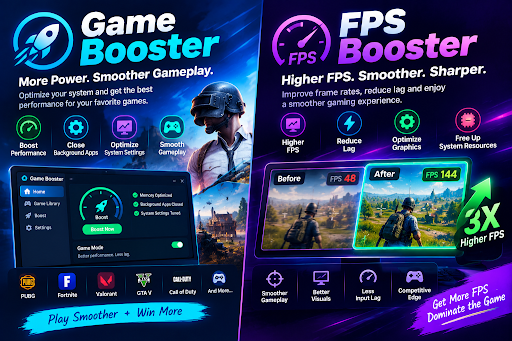

Smooth gaming performance relies on more than simply owning a high-end graphics card. Background applications, outdated drivers, unnecessary processes, high temperatures, and poorly optimized settings can all affect how smoothly a game runs. This is where tools such as a Game Booster and FPS Booster can become useful.
These tools help gamers fine-tune their systems for smoother, more stable performance without always needing to upgrade their hardware.
What Is a Game Booster?
A Game Booster is a software utility that helps optimize a PC for gaming by limiting unnecessary background processes while a game is active. Depending on the software, it may close or suspend nonessential applications to free up system resources for smoother gameplay. or pause selected background processes, manage system resources, optimize certain settings, or provide quick access to gaming-related options.
When starting a resource-intensive game, other applications running in the background may already be consuming CPU, memory, storage, or network resources.A Game Booster can minimize unnecessary background activity, allowing the game to access a greater share of the computer’s available resources.
The actual benefit depends heavily on the computer. A system with plenty of available resources may see little difference, while a PC struggling with background workloads could potentially benefit more from optimization.
What Is an FPS Booster?
An FPS Booster is primarily intended to enhance frame rates and deliver more consistent, fluid visuals while gaming. FPS stands for Frames Per Second and represents how many frames a computer renders each second.
Maintaining a higher, steadier frame rate can deliver smoother visuals and more responsive gameplay, particularly in fast-moving games. An FPS Booster may attempt to improve performance by changing graphics settings, reducing unnecessary background tasks, or applying other optimization methods.
However, an FPS Booster cannot overcome the fundamental limitations of underpowered hardware or make it perform like a high-end system.If a graphics card or processor is already operating near its limits, software optimization may provide only a modest improvement.
How a Game Booster Can Help
One advantage of a Game Booster is convenience. Instead of manually searching for every background process or adjusting multiple settings, I can use a single interface to prepare the system for gaming.
Some tools may provide options for disabling notifications, clearing temporary resources, adjusting performance modes, or prioritizing the game process.These features help create a more optimized environment that is better suited for gaming.
Another potential benefit is reducing interruptions. Notifications, automatic updates, and background applications can occasionally interrupt gameplay or consume resources at inconvenient times.
Still, I prefer to review what a booster is changing rather than enabling every option automatically. Certain Windows services and background programs are essential, so disabling an incorrect process may lead to unexpected system issues.
Can an FPS Booster Really Increase FPS?
The answer depends on the reason behind low FPS. If performance is being reduced by unnecessary background applications, overly demanding graphics settings, or similar software-related factors, optimization may improve the result.
For example, reducing resolution or graphical effects can significantly increase FPS when the GPU is the main limitation.Keeping your graphics drivers up to date can improve game compatibility and provide optimizations for specific titles.
However, if your hardware is the primary factor limiting performance, an FPS Booster may offer only a slight improvement. For this reason, it is important to understand the capabilities of your system and identify what is actually causing performance issues before relying on optimization tools.the cause of a performance problem before relying on optimization software.
Other Ways to Improve Gaming Performance
Game and FPS Boosters are most effective when used alongside regular PC maintenance. Updating graphics drivers, keeping an eye on CPU and GPU temperatures, and shutting down unneeded applications can all contribute to more stable gaming performance.
I also check the in-game graphics settings. Features such as shadows, reflections, ambient effects, and anti-aliasing can have a noticeable impact on performance. Lowering demanding settings while keeping important visual details enabled can sometimes provide a better balance.
Storage and memory also matter. Keeping enough free disk space and ensuring that the system has adequate RAM can contribute to a smoother overall experience.
Game Booster vs. FPS Booster
Although the terms are sometimes used interchangeably, they can emphasize different goals. A Game Booster generally provides broader system optimization around the gaming session, while an FPS Booster focuses more directly on improving frame-rate performance.
Some software products combine both approaches in one application. In that situation, the distinction becomes less important than the actual features offered by the tool.
Final Thoughts
Game and FPS Boosters can benefit players looking to improve their PC’s gaming performance without upgrading their hardware right away. These tools can limit unnecessary background processes, fine-tune selected system settings, and provide a more streamlined environment for gaming.
However, results vary from one computer to another.These tools tend to deliver better results when paired with current drivers, appropriate graphics settings, effective cooling, and realistic performance expectations.Instead of chasing the highest possible FPS number, I focus on achieving stable and consistent performance that makes games feel smooth and responsive.