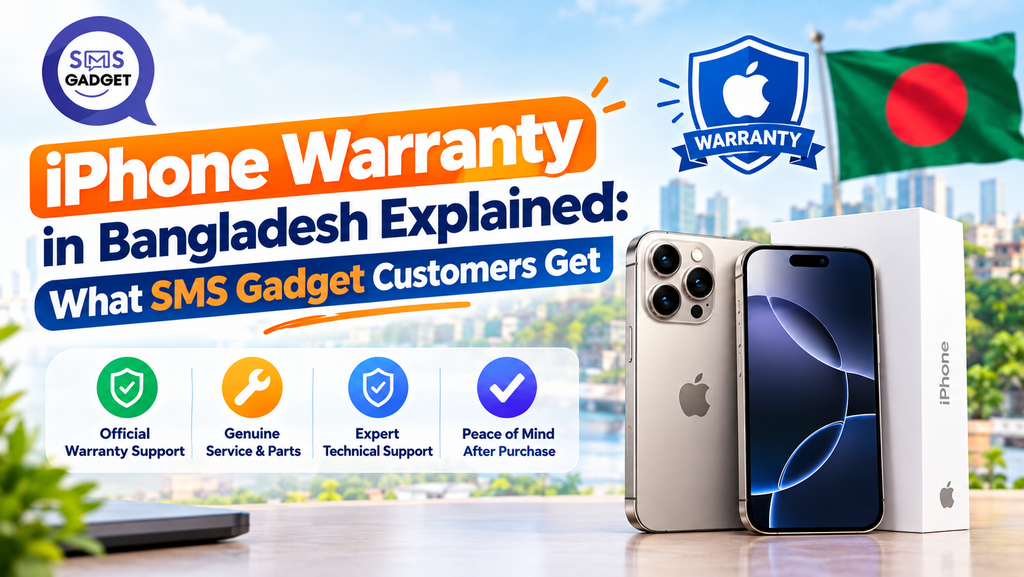

An iPhone costs a lot of money, and a fault showing up three months in, with no warranty to fall back on, is a genuine nightmare. By the end of this guide, you’ll know exactly what Apple’s warranty actually covers, how to claim it, and what to check before handing over any money for an iPhone in Bangladesh.
SMS Gadget states it sells genuine, officially sourced iPhones backed by a 1-year warranty, with a dedicated after-sales support team handling claims locally. Coverage follows Apple’s standard terms, covering manufacturing defects under normal use, and excludes accidental damage, liquid damage, and unauthorized repairs. Exact current terms should always be confirmed at the time of purchase.
How Apple’s Warranty Works (and Why Bangladesh Is Different)?
What Does Apple’s 1-Year Limited Warranty Cover?
Apple’s standard warranty covers defects in materials and workmanship under normal use, running from the original retail purchase date, not the date a device changes hands later, and not the date it was first switched on.
Why Can Warranty Be Tied to the Country of Sale?
Apple can restrict service eligibility to the region where a device was first officially sold, which is exactly why a phone’s import path matters, a unit sold through one region’s channel isn’t automatically guaranteed the same warranty treatment everywhere else.
No Apple Store in Bangladesh, So Service Goes Through Authorized Service Providers
Since Apple doesn’t operate its own retail stores in Bangladesh, warranty service runs through Apple Authorized Service Providers instead, a meaningful detail, since it means the actual repair experience depends heavily on which provider a given retailer routes claims through.
What Does “International Warranty” Mean for an iPhone in Bangladesh?
Simple Definition in Plain Language
“International warranty” generally means a device is eligible for at least some level of Apple service outside its original country of sale, though the specifics of what that covers can vary by product and region.
What It Is Not
It’s not a lifetime guarantee, and it’s not automatic, unconditional worldwide coverage regardless of circumstances, both are common misconceptions worth clearing up before assuming too much.
Why This Matters If You Travel or the Phone Was Bought Abroad?
For anyone who travels frequently or who’s bought a device while abroad and brought it back to Bangladesh, understanding exactly what “international” coverage does and doesn’t guarantee avoids an unpleasant surprise if a claim is ever needed.
What SMS Gadget Customers Get With an iPhone?
| What’s Included | Details |
| Warranty Period | 1-year coverage, as stated by SMS Gadget |
| Sourcing | Genuine, sealed units through officially sourced channels |
| Documentation | Warranty card and invoice provided at purchase |
| Support | Dedicated after-sales support team |
| Payment Flexibility | 0% EMI facility available |
| Delivery | Nationwide delivery options |
Warranty Period and Type
SMS Gadget states its iPhones come with a 1-year warranty backed through its official sourcing channel. As with any retailer, it’s worth confirming the exact current terms directly at the time of purchase, since coverage details can be updated.
Genuine, Sealed, Authorized-Source Guarantee
SMS Gadget states its devices are sourced through official channels rather than grey-market imports, a claim worth verifying the same way as any retailer’s, through warranty documentation and IMEI/NEIR status.
Warranty Card and Invoice: What You Receive and Why to Keep It
A proper warranty card and invoice, listing the IMEI, purchase date, and price, should be provided at the point of sale. These documents are what’s actually required if a warranty claim needs to be made later, losing them can complicate or delay a claim significantly.
After-Sales Support Team and How to Reach It
SMS Gadget states it operates a dedicated after-sales support team to handle issues after purchase, reachable either through its branches or its customer support channels—worth confirming current contact details directly, since these can change.
Extras: 0% EMI and Delivery
Beyond warranty itself, SMS Gadget offers a 0% EMI facility and nationwide delivery, practical features that matter for trust and convenience, though they’re separate from the warranty terms themselves and worth treating as a bonus rather than a substitute for confirming warranty details.
What the Warranty Covers vs What It Doesn’t?
| Typically Covered | Typically Not Covered |
| Manufacturing defects | Accidental drops |
| Faulty display without physical damage | Liquid damage |
| Battery or charging faults from defects | Unauthorized repairs or modifications |
| Similar hardware defects under normal use | Cosmetic wear and tear |
Damage from personal modification or accidents is not covered under Apple-authorized warranty, regardless of where the device was purchased, this is a standard Apple policy, not something specific to any one retailer.
How to Claim Your iPhone Warranty (Step by Step)?
Step 1: Keep Your Invoice, Box, and Warranty Card
These documents are the starting point for any claim—without them, proving the purchase date and original condition becomes significantly harder.
Step 2: Contact SMS Gadget Support or Visit the Store
Reaching out directly, either through the after-sales support channel or by visiting a branch in person, is the first practical step toward getting an issue assessed.
Step 3: Device Inspection and Diagnosis
The device gets inspected to confirm whether the issue falls under covered manufacturing defects or excluded causes like accidental damage.
Step 4: Repair or Replacement and Expected Timeline
Depending on the diagnosis, the device is either repaired or replaced under warranty — exact turnaround time is worth asking about directly, since it can vary by issue and current service load.
What to Back Up and Switch Off First?
Before handing a device over for service, back up data through iCloud or a computer, and disable Find My iPhone, most service providers require this step before they can proceed with a repair.
Official Warranty vs Shop Warranty vs AppleCare+
| Official (Apple-Backed) | Shop Warranty | AppleCare+ | |
| Who Backs It | Apple, through Authorized Service Providers | The individual retailer | Apple directly |
| What’s Covered | Manufacturing defects | Varies by shop | Defects plus accidental damage (for a fee) |
| Who Repairs | Apple Authorized Service Providers | Shop-arranged repair | Apple-authorized channels |
| Accidental Damage | Not covered | Varies, often not covered | Covered with a service fee |
Why Shop-Only Warranty Can Be Risky?
A warranty backed only by an individual shop, with no Apple backing behind it, is only as reliable as that shop’s own longevity and accountability, if the shop closes or becomes unresponsive, the warranty effectively disappears with it.
Is AppleCare+ Available?
This isn’t something to assume either way, AppleCare+ availability through a specific Bangladeshi retailer should be confirmed directly with that retailer rather than taken for granted, since coverage programs like this aren’t uniformly available everywhere Apple products are sold.
Warranty, IMEI and NEIR: What Bangladeshi Buyers Should Know
What NEIR Is
BTRC’s National Equipment Identity Register (NEIR) is the database that, in principle, tracks whether a phone’s IMEI was properly registered for use in Bangladesh. It’s worth being accurate here: as of the most recent available reporting, NEIR’s handset-blocking feature has not actually been activated, with enforcement still pending a government policy decision and no confirmed rollout timeline. Checking registration status is still a reasonable, free step before buying, but it isn’t the same as an active, immediate network risk today.
How to Check IMEI
Dial *#06# to display the IMEI, then verify registration status by sending KYD <IMEI> as an SMS to 16002, dialing *16161#, or checking through the BTRC NEIR web portal.
How Official Sourcing Protects Both Warranty and Network Access?
Buying through a retailer with clear, verifiable sourcing protects two separate things at once: a warranty path that’s actually honored, and, should NEIR enforcement eventually activate, a cleaner registration status from the start.
7-Point Checklist Before You Buy an iPhone in Bangladesh
- Check the seller’s warranty terms in writing
- Get an invoice with the IMEI/serial number listed
- Verify the serial number on Apple’s coverage-check page
- Check the sealed box and included accessories
- Confirm the model/region code and what it means for local use
- Verify IMEI registration status through BTRC’s system
- Ask directly how to claim service, and exactly where
Common Warranty Mistakes to Avoid
1. Losing the invoice, 2. buying from an unverified seller with no real accountability, 3. jailbreaking the device or using non-Apple-authorized repair shops, 4. ignoring the warranty’s actual start date, and 5. assuming accidental damage is covered when it typically isn’t, all five of these are avoidable with a few minutes of care at the time of purchase.
Why Buy from SMS Gadget?
SMS Gadget’s core pitch rests on a handful of practical points: genuine, officially sourced products, clear warranty terms stated upfront, a dedicated after-sales support team, nationwide delivery, and 0% EMI options for buyers who’d rather not pay the full amount at once. As with any retailer, these claims are worth confirming directly at the time of purchase rather than assumed, but together, they represent what a trustworthy retailer relationship should look like in practice.
Frequently Asked Questions
Does an iPhone from SMS Gadget have Apple warranty?
SMS Gadget states its iPhones are genuine and officially sourced, backed by a 1-year warranty. As with any retailer, it’s worth confirming the current exact warranty terms and backing at the time of purchase.
How long is the warranty?
SMS Gadget states 1-year coverage on its iPhone lineup, current terms should be confirmed directly at checkout, since specifics can be updated over time.
Is the warranty valid outside Bangladesh?
This depends on the specific terms and Apple’s own regional service policies, which can vary — worth confirming directly rather than assuming full international coverage applies automatically.
Can I claim warranty for a cracked screen or water damage?
No, accidental damage, including cracked screens and liquid damage, falls outside standard manufacturing-defect warranty coverage under Apple’s policy, regardless of retailer.
What if I lose my invoice?
Without the original invoice, proving purchase date and warranty eligibility becomes significantly harder, it’s worth checking directly with the retailer whether any alternative proof of purchase (such as a digital receipt or registered warranty card) can be used instead.
Conclusion
A warranty is only as good as the paperwork behind it and the seller standing behind that paperwork, keep the invoice, know exactly what’s covered, and verify terms before paying rather than after something breaks. For current pricing on specific models before making a decision, checking iPhone Price in Bangladesh listings is a useful next step, and SMS Gadget’s support team can answer any warranty-specific questions directly before a purchase is made.