Removing one unwanted program from Windows is easy enough. The problem starts when you have ten, twenty, or even more applications that you no longer need. Going through them one by one takes time, and the standard Windows uninstall process may also leave files and other data behind.
This is where batch uninstallers can help. Instead of removing programs separately, they let you select several applications and process them in one session. Some also scan for leftover files, folders, and registry entries after the main uninstall is finished.
For this comparison, we look at three popular uninstaller for Windows. All three support multiple-program removal, but they differ in how they handle leftovers, stubborn software, and other cleanup tasks.
- IObit Uninstaller 16
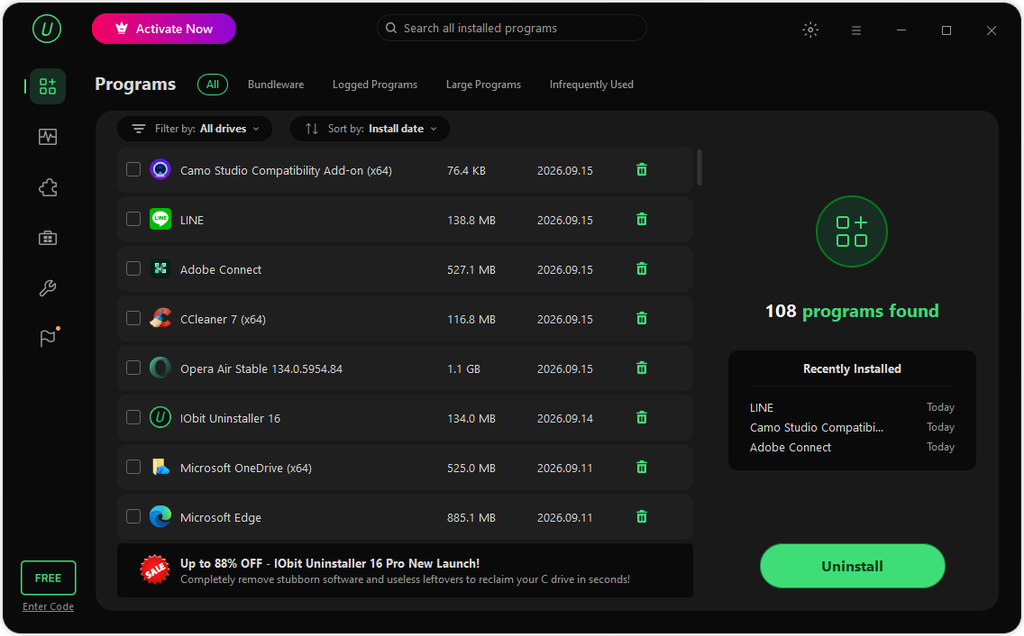
IObit Uninstaller 16 is built for users who want to remove several programs without dealing with each one separately. Its current version also adds storage and cleanup features that go beyond basic batch removal.
Batch Uninstall Made Simple
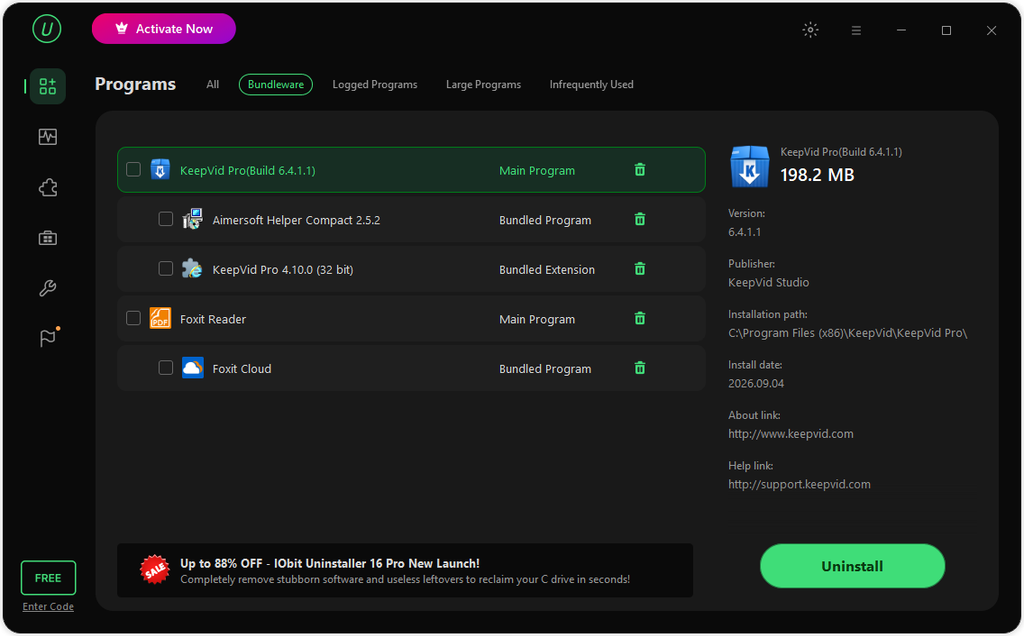
IObit Uninstaller 16 lets users select multiple programs from the installed software list and remove them together. This is useful after testing several applications, cleaning an old PC, or getting rid of software that has built up over time.
The process starts by selecting the programs you no longer want. After that, the uninstall process can handle the selected applications in sequence instead of making you return to the Windows settings page for every program. IObit lists bulk removal as one of the main features of the free version.
Quick Uninstall for Single Programs
Batch removal is not the only option. If you only need to remove one application, Quick Uninstall provides a faster way to get the job done.
This gives users two useful choices: remove one program quickly or select several programs for a larger cleanup session.
Deep Scan for Leftovers
Removing the main program does not always remove everything it created. Applications can leave files in places such as AppData, along with folders, caches, and registry entries.
IObit Uninstaller 16 has improved its leftover scanning and power scan features to look for these remaining files. This can be useful when large applications have left behind data after being removed. IObit says its lab testing found that residual files can slow system responsiveness and application launch times by as much as 27.3%.
Handles Stubborn Programs
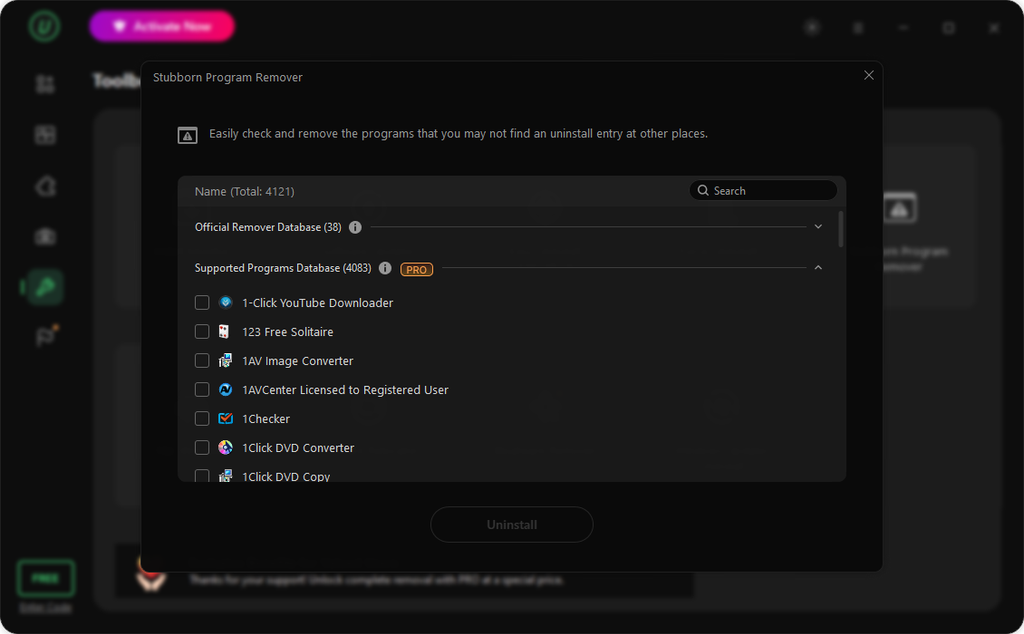
Some applications are difficult to remove because their uninstallers are broken, missing, or hidden. IObit Uninstaller 16 is designed to deal with more than 4,000 stubborn programs, according to IObit.
This gives it an advantage when batch cleanup includes one or two programs that do not respond to the normal Windows uninstall process.
Best For
IObit Uninstaller 16 is a strong choice for users who want batch removal together with deeper cleanup and storage tools. It is especially useful for people who regularly install software, test different applications, or need to free up space without reinstalling large programs.
- Revo Uninstaller
Revo Uninstaller has been a long-standing option for Windows users who want more control over software removal. It focuses heavily on finding leftovers after an application’s own uninstaller has finished.
Multiple Program Removal
Revo supports multiple-program removal through its Quick Uninstall feature in the Pro version. Users can select several programs and place them in a removal queue. Revo then works through the list, running the built-in uninstallers and scanning for leftovers after each one.
This approach is useful for large cleanup jobs because you do not have to start the process from scratch for every application.
Leftover Scanning
Leftover cleanup is one of Revo’s main strengths. After a program’s own uninstaller runs, Revo scans for remaining files, folders, and registry entries.
Its scanning system gives users different levels of scanning, including Safe, Moderate, and Advanced modes. Revo recommends Moderate as the default option.
This gives experienced users more control over how deeply they want to search.
Forced Uninstall
Revo also has a Forced Uninstall feature in its Pro version. It can be useful when a program has already been partially removed or its normal uninstaller no longer works.
Instead of relying entirely on the program’s uninstall entry, users can provide the program’s name or location and let Revo search for related leftovers.
Best For
Revo Uninstaller is a good fit for users who put a high value on leftover scanning and detailed control over the removal process. Its batch features are particularly useful in the Pro version, while users who only need basic removal can also try the free edition.
- HiBit Uninstaller
HiBit Uninstaller takes a lightweight approach while still offering several tools for removing and cleaning up Windows programs.
Batch Removal
HiBit lets users select multiple programs and use its batch uninstall function to process them together. This is handy when removing old utilities, trial software, toolbars, or applications that have accumulated over time.
Instead of opening each program’s uninstall option separately, users can queue several applications and work through them in one session.
Leftover File Scanning
HiBit does more than run the standard uninstallers. After removal, it can scan for leftover files and registry entries connected to the program.
Users can review the detected items before deleting them. This is useful because not every file with a similar name should automatically be removed. Reviewing the results helps reduce the chance of deleting something shared by another application.
Force Uninstall
When a program refuses to uninstall normally, HiBit provides a Force Uninstall option. This can help with broken uninstall entries or software that has been partially removed.
It is best used for programs that actually have a removal problem rather than as the default method for every application.
Lightweight Design
HiBit is also known for keeping its main program relatively small and focused. It offers both installer and portable editions, making the portable version useful when you do not want to install another program on the PC.
Best For
HiBit Uninstaller is a good option for users who want free batch removal with leftover scanning and several extra maintenance tools. It can be particularly useful on PCs where a lightweight utility is preferred.
Final Thoughts
The best choice depends on what you need from a batch uninstaller. For users who mainly want to clear out several unwanted applications, all three can save time compared with removing programs one at a time through Windows. However, if you also need to deal with stubborn software or free space without reinstalling large applications, IObit Uninstaller 16 offers the broader set of features.